Pi Coding Agent Setup: Browser Automation and Subagents
What a frontier coding agent setup looks like.
This is my setup on the Pi coding agent. Pi is an open-source terminal coding agent similar to Claude Code. The scene of AI coding is changing very fast, as of right now I am daily driving Pi with DeepSeek and OpenAI Codex models.
Install it in your terminal:
npm install -g @earendil-works/pi-coding-agentAfter that, just set up your models. Simply type /login after launching Pi, and you can input your API keys or subscriptions. Pi has support for 15+ providers.
You can now start using Pi.
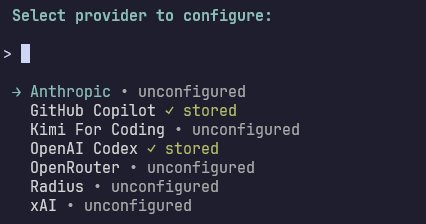
I have tried a lot of coding models throughout the years. None of them are perfect, so you can plug and play based on what you like. For example, certain models like Gemini or Claude are better for UI/UX.
Right now, this is my model lineup:
| Model | What it is used for |
|---|---|
| GPT-5.6 Luna | Default for most side projects. |
| GPT-5.6 Sol | Used for deep code discussions, planning, and most long-horizon coding tasks. |
| DeepSeek V4 Flash | Cheap and fast, good for lightweight or repetitive tasks. |
Why I Chose Pi
Pi is different than most harnesses in one way: it ships nothing you didn’t ask for. Out of the box, it contains 4 agent tools, with a very lean system prompt.
What it does have is the ability to self-modify and design itself around your workflow, rather than having you adapt differently. You can just ask it to build a TypeScript extension, change any aspects of the agent, and it works. Shopify built its autoresearch tool this way.
Or you can install extension packages the community has built. You can even play Doom inside.
One consequence of Pi’s lean core and system prompt is token cost efficiency. Databricks found that cost per task differed significantly between harnesses using the same model, and Pi is about 1.5x cheaper in most cases, while offering the same capability.
My favorite feature in Pi is /tree. Every session is modeled as a tree structure, instead of a linear conversation. You can go back to any earlier point and switch branches without losing history.
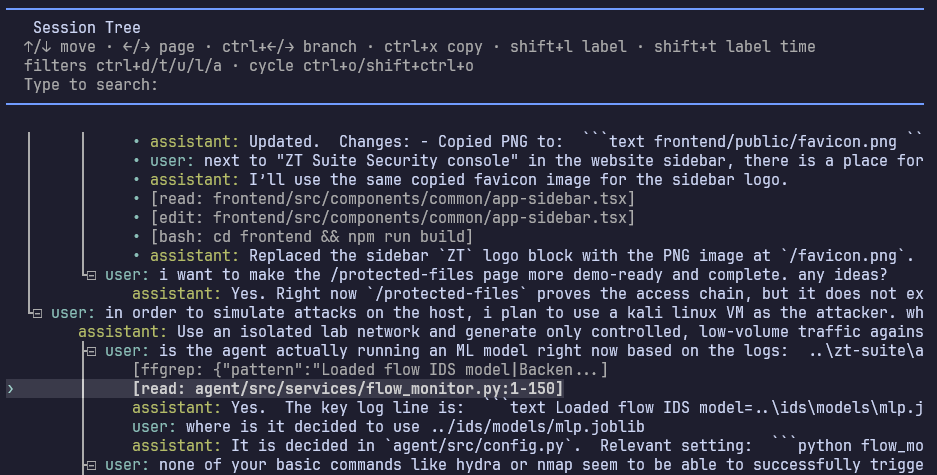
This scenario is very common: An hour into a session, I realized my approach to a problem was wrong. With /tree, I jumped back to the point before a bad decision and branched easily from there.
This can also be used to remove unwanted context from your session, without restarting through compaction.
Browser Automation
Did you know you can let your agent control a browser? Install it in your terminal:
npm install -g agent-browser
agent-browser install
With this, your agent can open pages, click buttons, fill in forms, and read the results back.
My main use case for browser use is UI verification. After the agent changes frontend code, it opens the page and confirms a change works.
The way it works is simple, each page snapshots return an accessibility tree with element refs, so the agent can select and interact with them deterministically. For more info, read the documentation.
Extensions
Browser use is just the beginning. Here is the fun stuff.
Pi is deliberately extensible and adapts to your workflow. Here are what I installed to upgrade the agent’s capabilities. Ask your agent how to setup these.
- Web search: pi-web-access
This provides the agent with web search and content fetching, with support for many providers using API keys. You can also use it to fetch Git repos and understand YouTube videos. I use Exa as my default search provider.
pi install npm:pi-web-access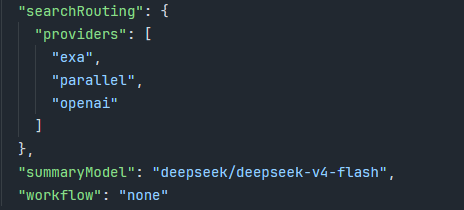
- Subagents: pi-subagents
Claude Code-style subagents with background execution, mid-run steering, and resume. Especially useful for long repetitive tasks that you can parallelize.
pi install npm:@tintinweb/pi-subagentsI currently have three subagent profiles:
- Explore: Answer codebase-related questions.
- Search: For parallel web research.
- Worker: For multiple coding tasks that are decomposable.

- File search with memory: pi-fff
This upgrades grep with a search library. It provides file search with frecency ranking, so that files regularly used and recently modified are easier to discover.
pi install npm:@ff-labs/pi-fff- Hashline editing: pi-hashline-edit
This one is experimental, and has an interesting idea. When the agent reads a file, each line is prefixed with LINE#HASH:, providing a verifiable line-by-line anchor. This prevents any file corruption caused by model hallucinations.
pi install npm:pi-hashline-editThe idea is first discovered by Can Bölük, and its biggest improvements are on smaller models.
- Goal tracking: pi-codex-goal
This adds a /goal feature, and allows you to create long-running tasks and let the agent track its progress.
pi install npm:pi-codex-goal- Codex tools: pi-codex-conversion
Codex models have additional tools which are not included by default. This extension adds them to Pi, so I can use its image generation and voice chat capabilities (both of which are very good).
pi install npm:@howaboua/pi-codex-conversionShortcuts
These are shortcuts I regularly use.
| Shortcut | What it does |
|---|---|
| Ctrl+P | Cycle to the next enabled (scoped) model. |
| Shift+Tab | Cycle the thinking level. |
| Ctrl+O | Collapse or expand tool output. |
| Alt+Enter | Queue a follow-up message while the agent is working. |
| Escape | Interrupt. |
You can customize your enabled models using /model.
Improvements to the UI
Pi’s default UI is very minimal and clean. You can also customize it easily.
- Footer: pi-powerline-footer
This replaces the default footer with a powerline-style status bar and useful session info.
pi install npm:pi-powerline-footer
- Notifications: pi-notify
This adds Windows desktop notifications for when the agent finishes its work. You don’t have to monitor the terminal, just do other work and return when it is ready.
pi install npm:pi-notifyBonus: Talk With Pi
You can work even faster by letting go of your keyboard and just talk with your agents.
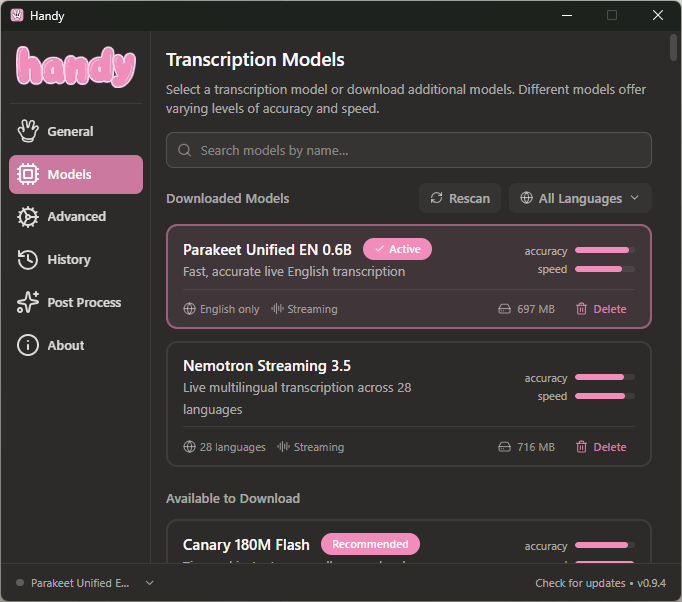
I use Handy, a free speech-to-text app. Press a hotkey, speak, and the text lands directly in the agent prompt. It transcribes locally with a model (you can run this on any laptop).
If you want to improve your transcription by removing filler words like “um”, just use a low-cost model like DeepSeek for post-processing.
Bonus: Remote Control Pi On Your Phone
Your AI agent runs on your computer. Your phone is in your pocket. Wouldn’t it be useful to run the agent from anywhere?
I wrote a full guide here: How to Remote Control AI Agents On Your Phone.